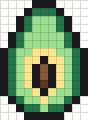
 Avocado half
Free Pixel Art Ideas
Twenty-five original pixel art pictures, small enough to copy square by square: a ginger cat, a duck, a heart, a skull, a dragon, a knight and two backgrounds. Save any of them as a crisp PNG, print the grid with a color key, or open it in the maker and recolor it.
- Original drawings
- PNG and printable grid
- Make it in beads
25 free patterns

How to use these patterns
- Pick a pictureEach card shows the size in pixels and how many colors it uses. Two- to four-color pictures such as the heart and the skull are the easiest to copy.
- Save it or print the gridPNG saves the picture with every pixel as a sharp 16 by 16 block. PDF prints a numbered grid with a symbol in each square and a key for every color.
- Change it or make it realOpen it in the editor to recolor or redraw squares, or carry it on to perler beads, cross stitch or a C2C blanket.
Easy pixel art to start with
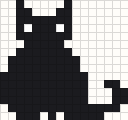
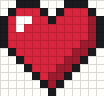
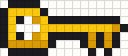
Good first pieces are small and bold. Most pictures here are 9 to 17 pixels across, the size of a classic game icon, and use two to nine colors. The Heart needs four, the Gold key three, and the Skull and the Black cat only two, black and white. Copying one by hand on squared paper, in a drawing app or with the pixel art maker grid takes ten to twenty minutes, and you learn the habits that make simple pixel art read well: a one-pixel dark outline, a lighter shade where light hits, a darker shade on the side away from it.
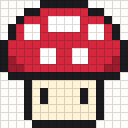
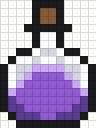
Look at how the Heart does it. The outline is black, the body is red, two white squares in the top left make the shine, and a column of darker red down the right edge gives it volume. That is the whole trick, repeated on the Gold coin, the Spotted mushroom and the Purple potion. Once you see it, you can draw your own cute pixel art with the same three steps, and those steps keep pixel art easy to read at any size.
Cats, ducks and other cute pixel art
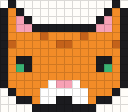
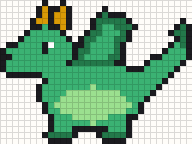
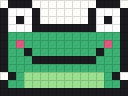
Animals are the most asked-for subject. There is a pixel art cat face in ginger with green eyes and a pink nose, a sitting black cat, a little duck, a frog and a small green dragon with gold horns. The cat face is a good lesson in symmetry: draw the left half and mirror it, and both ears and eyes match. The dragon is the largest picture, 32 pixels wide, and shows how a few shades of green, a lighter belly and a dark wing can turn a blob into a creature.
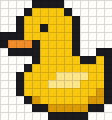
For cat pixel art of your own, start from the ears and the eyes, since those are what make a cat read as a cat at this size. Pixel art duck pieces need only a round body, a beak in a second color and one dark pixel for the eye.
Characters and objects
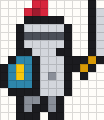
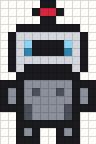
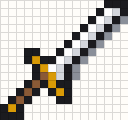
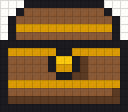
The Little knight and the Robot are our own pixel art characters, made for this page, not borrowed from a game or a cartoon. The knight carries a shield and a sword and wears a red plume; the robot has an antenna and blue eyes. The objects are the things games are built from: a sword, a gold key, a coin, a treasure chest and a potion. Together they make a small set of cool pixel art for a game mock-up, a sticker sheet or matching beads.
We do not host characters from films, games or shows, because they belong to their owners. If you want one for your own use, draw it yourself; the knight shows how much a figure can say in fifteen rows, and makes a fair starting point for your own pixel art character design.
Black and white pixel art and Halloween
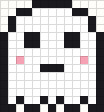
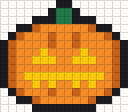
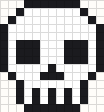
Two colors are enough for a striking piece. The Skull and the Black cat each make a black and white pixel art pattern that prints well on any printer and looks sharp as a sticker or on a shirt. For Halloween pixel art there is also a Friendly ghost and a Jack-o'-lantern with a glowing face. The skull pixel art works year round as a game item or a badge.
Backgrounds
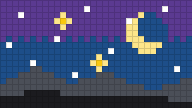
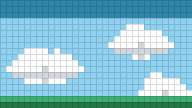
Two wide pictures, 32 by 18 pixels, are pixel art backgrounds: a blue sky with three clouds over a strip of grass, and a night sky with a crescent moon, stars and dark hills. Saved at 16x they are 512 pixels wide, a size that suits a banner or the back of a small game scene. Put a character in front of the blue pixel art background and you have a title screen.
Printing a grid to color in
The PDF on each card turns the picture into a pixel art grid: numbered rows and columns, bold lines every ten squares, a symbol in every square and a key that gives each symbol a letter and a color with its pixel count. The first chart page is in color and the second in black and white. Print the black and white page and you have color by number pixel art, with symbols in place of numbers: match each symbol to the key and fill the square. Children enjoy it, and it is also how people copy a design onto graph paper or count squares for a craft.
From a picture to beads, stitches or yarn
Every square of pixel art can be a bead, a stitch or a crochet block. Under each card, Make as opens the picture in the perler bead pattern maker, where the colors are matched to real bead codes and laid out on 29 by 29 boards; most pictures here fit one board. Cross stitch turns it into a DMC chart with skeins, and C2C into a blanket graph. For more designs already drawn for beads, see the free perler bead patterns.
Questions
Is this pixel art free? Is there a pixel art download?
Yes. All twenty-five pictures are free, with no sign-up and no watermark. PNG saves the picture at 16x, and PDF saves a printable grid with a color key. You may use them in your own projects and gifts; please do not repost the files as your own pack.
What are some easy pixel art ideas?
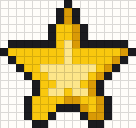
A heart, a star, a key, a coin, a mushroom or a cat face. They are small, symmetric or simple in outline, and need only a handful of colors. Draw the outline first, fill it, then add one lighter and one darker shade.
How big should pixel art be for a beginner?
Around 16 by 16 pixels. That is enough for a face, an object or an animal, and small enough that every square matters. The empty grid in the pixel art maker starts at 32 by 32 when you want more room.
Can I make perler beads from this pixel art?
Yes. Choose Perler beads under Make as on a card. The colors are matched to bead codes, counted, and printed on 29 by 29 board pages at actual size. Every picture on this page except the backgrounds and the dragon fits one board.
Is there pixel art color by number here?
The PDF grid works the same way, with symbols instead of numbers. Each square carries a symbol, and the key gives the color for each one, so you can print the black and white page and color it in.
Can I change the colors?
Yes. Open the picture in the editor, tap a color in the list and choose a new one; it changes everywhere in the picture. Then save your version as a PNG.
Every picture here is an original StitchJam drawing. The colors are our own screen colors, not a thread or bead range. Free for personal use and gifts.